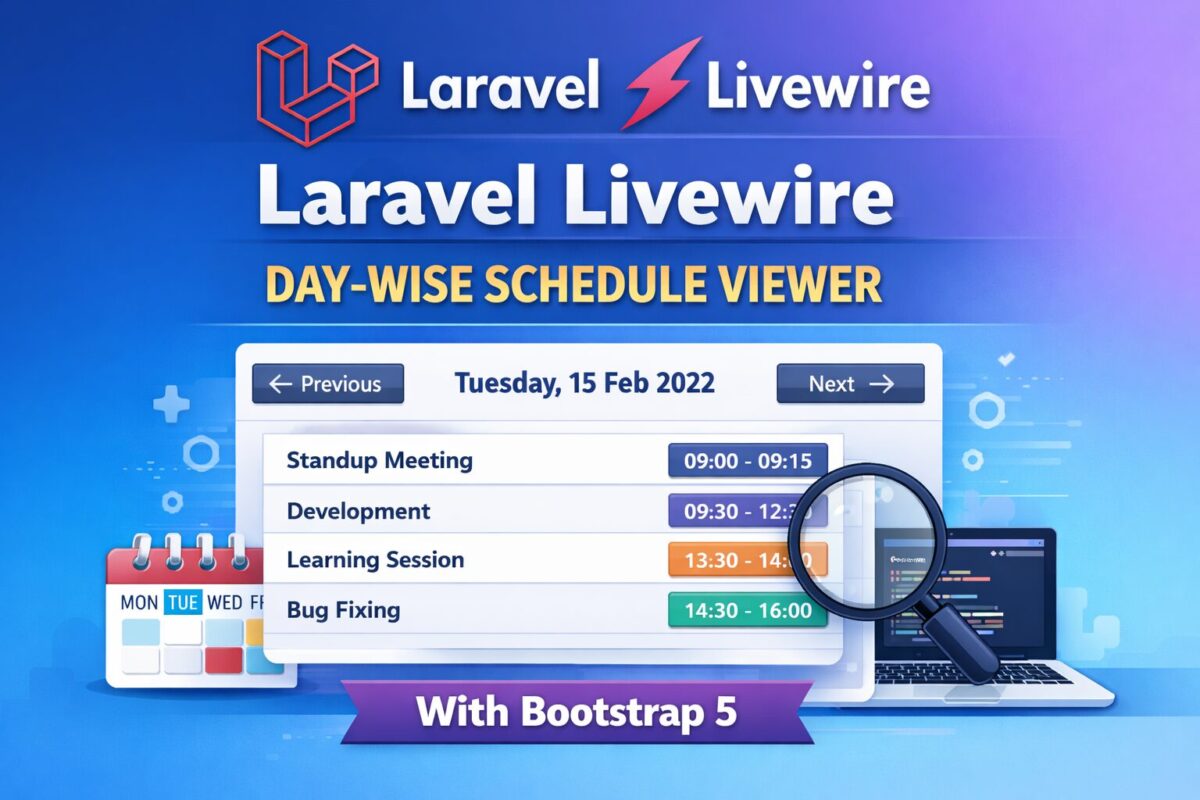
Laravel Livewire Day-Wise Schedule Viewer with Bootstrap 5

Learn how to build a day-wise schedule viewer in Laravel Livewire using Bootstrap 5. Includes migration, seeder, navigation buttons, and UX best practices.

Managing schedules by day is a common requirement in admin dashboards, booking systems, internal tools, and SaaS applications. In this tutorial, you’ll learn how to build a day-wise schedule viewer using Laravel Livewire, styled with Bootstrap 5, and powered by weekday-based database records.

This guide covers everything from database migration and seeding to Livewire navigation logic and UX improvements.

What You’ll Learn in This Tutorial

  • How to store weekday-based schedules in Laravel
  • Build a Livewire component to show schedules dynamically
  • Navigate schedules using Previous / Next buttons
  • Disable invalid navigation (like going before today)
  • Seed realistic day-wise data (max 6 events per day)
  • Create a Bootstrap 5 UI without JavaScript

Tech stack used

  • Laravel 10+
  • Livewire 3
  • Bootstrap 5
  • Carbon (Date handling)
  • MySQL / MariaDB

Database Migration

Before creating the model, seeder, and Livewire component, we need a database table to store weekday-based schedules.

Each record represents one event for a specific weekday (Monday–Sunday).

Create Migration

To create a migration file, run the following command,

php artisan make:migration create_weekday_schedules_table

It will create a migration file named xxxx_xx_xx_create_weekday_schedules_table.php in the database/migrations folder.

Migration File

Open the migration file and add the following code into it,

use Illuminate\Database\Migrations\Migration;
use Illuminate\Database\Schema\Blueprint;
use Illuminate\Support\Facades\Schema;

return new class extends Migration
{
    public function up(): void
    {
        Schema::create('weekday_schedules', function (Blueprint $table) {
            $table->id();

            // 1 = Monday, 7 = Sunday (ISO-8601)
            $table->unsignedTinyInteger('weekday')->index();

            $table->string('title');
            $table->time('start_time');
            $table->time('end_time');
            $table->text('description')->nullable();

            $table->timestamps();
        });
    }

    public function down(): void
    {
        Schema::dropIfExists('weekday_schedules');
    }
};

Now, this migration file is ready to be run.

Run Migration

Run the migration using the following artisan command,

php artisan migrate

Eloquent Model

Now, create a model for weekday schedules table, created by the migration. To create an eloquent model, run the following command,

php artisan make:model WeekdaySchedule

It will create a model file named WeekdaySchedule.php inside app/Models folder. Open that model file and add the following code in the file,

namespace App\Models;

use Illuminate\Database\Eloquent\Model;

class WeekdaySchedule extends Model
{
    protected $fillable = [
        'weekday',
        'title',
        'start_time',
        'end_time',
        'description',
    ];
}

Database migration and models files are ready. It is time to create a livewire component for day-wise schedule.

Livewire Component

Livewire components can be easily created using the artisan livewire command as follows,

php artisan make:livewire DaySchedule

This command will create two files as follows,

  • Component file named DaySchedule.php inside app/Livewire folder,
  • Component view blade file named day-schedule.blade.php inside resources/views/livewire folder.

Open the DaySchedule.php file and add the following code into it,

namespace App\Livewire;

use Livewire\Component;
use Carbon\Carbon;
use App\Models\WeekdaySchedule;

class DaySchedule extends Component
{
    public Carbon $currentDate;

    public function mount()
    {
        $this->currentDate = now();
    }

    public function previousDay()
    {
        if ($this->currentDate->isToday()) {
            return;
        }

        $this->currentDate = $this->currentDate->copy()->subDay();
    }

    public function nextDay()
    {
        $this->currentDate = $this->currentDate->copy()->addDay();
    }

    public function getSchedulesProperty()
    {
        return WeekdaySchedule::where(
            'weekday',
            $this->currentDate->dayOfWeekIso
        )->get();
    }

    public function render()
    {
        return view('livewire.day-schedule');
    }
}

And open the component view file to add the following code,

<div class="card shadow-sm">

    <div class="card-header d-flex justify-content-between align-items-center">

        <button
            wire:click="previousDay"
            class="btn btn-outline-secondary btn-sm"
            @if($currentDate->isToday()) disabled @endif
        >
            ← Previous
        </button>

        <h5 class="mb-0 fw-semibold">
            {{ $currentDate->format('l, d M Y') }}
        </h5>

        <button
            wire:click="nextDay"
            class="btn btn-outline-secondary btn-sm"
        >
            Next →
        </button>

    </div>

    <div class="card-body">
        @forelse ($this->schedules as $schedule)
            <div class="border rounded p-3 mb-3">
                <div class="d-flex justify-content-between">
                    <strong>{{ $schedule->title }}</strong>
                    <span class="badge bg-primary">
                        {{ $schedule->start_time }} – {{ $schedule->end_time }}
                    </span>
                </div>

                @if($schedule->description)
                    <small class="text-muted d-block mt-1">
                        {{ $schedule->description }}
                    </small>
                @endif
            </div>
        @empty
            <div class="alert alert-light text-center mb-0">
                No schedule available for this day.
            </div>
        @endforelse
    </div>

</div>

This component is now ready. But, we don’t have any data to display. So, for data, create a seeder.

Daywise Seeder

Create a seeder using the following artisan command,

php artisan make:seeder WeekdayScheduleSeeder

This will create a file inside database/seeders folder named as WeekdayScheduleSeeder.php.

namespace Database\Seeders;

use Illuminate\Database\Seeder;
use App\Models\WeekdaySchedule;

class WeekdayScheduleSeeder extends Seeder
{
    public function run(): void
    {
        $weeklyData = [
            1 => [
                ['Standup Meeting', '09:00', '09:15', 'Daily sync'],
                ['Development', '09:30', '12:30', 'Feature work'],
                ['Lunch', '12:30', '13:30', 'Break'],
                ['Code Review', '13:30', '15:00', 'Review PRs'],
                ['Client Call', '15:15', '16:00', 'Client discussion'],
                ['Wrap Up', '16:15', '17:00', 'Day end'],
            ],
            2 => [
                ['Standup', '09:00', '09:15', 'Team sync'],
                ['Development', '09:30', '12:30', 'Coding'],
                ['Learning', '13:30', '14:30', 'Upskilling'],
                ['Bug Fixing', '14:30', '16:00', 'Fix issues'],
            ],
            7 => [
                ['Off Day', '00:00', '23:59', 'No work scheduled'],
            ],
        ];

        foreach ($weeklyData as $weekday => $events) {
            foreach (array_slice($events, 0, 6) as $event) {
                WeekdaySchedule::create([
                    'weekday' => $weekday,
                    'title' => $event[0],
                    'start_time' => $event[1],
                    'end_time' => $event[2],
                    'description' => $event[3],
                ]);
            }
        }
    }
}

Run seeder using the following command,

php artisan db:seed --class=WeekdayScheduleSeeder

With component code and some data, it is now ready to be display on any page. To attach this livewire component, use the following code,

<livewire:day-schedule />

Final Results

  • Users see today’s schedule by default
  • Can navigate future days using Next
  • Previous button is disabled on today
  • Clean Bootstrap UI
  • Fully reactive Livewire experience
  • Easily extendable for Filament or APIs

Conclusion

This approach provides a clean, scalable way to manage day-wise schedules in Laravel using Livewire and Bootstrap 5. It avoids JavaScript complexity, keeps logic server-driven, and delivers a smooth UX.

If you’re building dashboards, booking systems, or internal tools — this pattern fits perfectly.

From Static to Dynamic: Creating a Powerful Form Builder with Livewire

Learn how to build a dynamic form builder in Laravel Livewire with repeaters, file uploads, and component-based fields. Step-by-step guide with code examples.

Building dynamic forms is a common requirement in modern applications. Instead of hardcoding fields, you might want users to add components (like text inputs, dropdowns, file uploads, or repeaters) that automatically render inside a master form. With Laravel Livewire, you can develop dynamic form builder in a clean and interactive way without writing tons of JavaScript.

Step 1: Create a Livewire Component

Run the artisan command to create your base form builder component with livewire:

php artisan make:livewire FormBuilder

This creates two files:

  • app/Http/Livewire/FormBuilder.php (backend logic)
  • resources/views/livewire/form-builder.blade.php (frontend view)

Step 2: Define Available Components

Inside app/Http/Livewire/FormBuilder.php, let’s define a list of available components. Each component has a name and a JSON configuration of its fields.

public $availableComponents = [
    [
        'name' => 'Text Input',
        'fields' => [
            ['type' => 'text', 'label' => 'Enter Text', 'value' => '']
        ]
    ],
    [
        'name' => 'Email',
        'fields' => [
            ['type' => 'email', 'label' => 'Enter Email', 'value' => '']
        ]
    ],
    [
        'name' => 'File Upload',
        'fields' => [
            ['type' => 'file', 'label' => 'Upload File', 'value' => '']
        ]
    ],
    [
        'name' => 'Repeater',
        'fields' => [
            ['type' => 'repeater', 'label' => 'Repeater Field', 'items' => []]
        ]
    ],
];

We’ll store user-selected components in:

public $formComponents = [];

Step 3: Add Components to the Form

When a user clicks a component, push it to the form array:

public function addComponent($index)
{
    $component = $this->availableComponents[$index];
    $this->formComponents[] = $component;
}

Step 4: Render Dynamic Fields

Render all selected components to form-builder.blade.php:

<div>
    <!-- Component Menu -->
    <h3>Available Components</h3>
    @foreach ($availableComponents as $i => $comp)
        <button wire:click="addComponent({{ $i }})">
            {{ $comp['name'] }}
        </button>
    @endforeach

    <hr>

    <!-- Dynamic Form -->
    <form wire:submit.prevent="save">
        @foreach ($formComponents as $cIndex => $component)
            <div class="component">
                <h4>{{ $component['name'] }}</h4>

                @foreach ($component['fields'] as $fIndex => $field)
                    @if ($field['type'] === 'text')
                        <input type="text"
                               wire:model="formComponents.{{ $cIndex }}.fields.{{ $fIndex }}.value"
                               placeholder="{{ $field['label'] }}">
                    @elseif ($field['type'] === 'email')
                        <input type="email"
                               wire:model="formComponents.{{ $cIndex }}.fields.{{ $fIndex }}.value"
                               placeholder="{{ $field['label'] }}">
                    @elseif ($field['type'] === 'file')
                        <input type="file"
                               wire:model="formComponents.{{ $cIndex }}.fields.{{ $fIndex }}.value">
                    @elseif ($field['type'] === 'repeater')
                        <button type="button"
                                wire:click="addRepeaterItem({{ $cIndex }}, {{ $fIndex }})">
                            ➕ Add Row
                        </button>

                        @foreach ($field['items'] as $rIndex => $item)
                            <input type="text"
                                   wire:model="formComponents.{{ $cIndex }}.fields.{{ $fIndex }}.items.{{ $rIndex }}.value"
                                   placeholder="Repeater Item {{ $rIndex + 1 }}">
                        @endforeach
                    @endif
                @endforeach
            </div>
        @endforeach

        <button type="submit">Save Form</button>
    </form>
</div>

Step 5: Handle Repeaters in Form

If clicked component is repeater, push it to the form array as follows:

public function addRepeaterItem($cIndex, $fIndex)
{
    $this->formComponents[$cIndex]['fields'][$fIndex]['items'][] = ['value' => ''];
}

Step 6: Save the Form Data

Finally, handle form saving:

public function save()
{
    // Just dump the data for now
    dd($this->formComponents);

    // In real apps, store in DB as JSON
}

Conclusion

Dynamic form builders don’t have to be complicated. With Laravel Livewire, you can build fully interactive forms that support repeaters, file uploads, and dynamic components without writing heavy JavaScript.

This approach keeps your codebase clean, your forms flexible, and your users happy. Once you have the basics working, it’s easy to extend the builder with drag-and-drop sorting, conditional fields, or rich text editors.

Whether you’re building an admin panel, a survey tool, or a custom CMS, this Livewire-powered dynamic form structure gives you a strong foundation to adapt to almost any use case.