
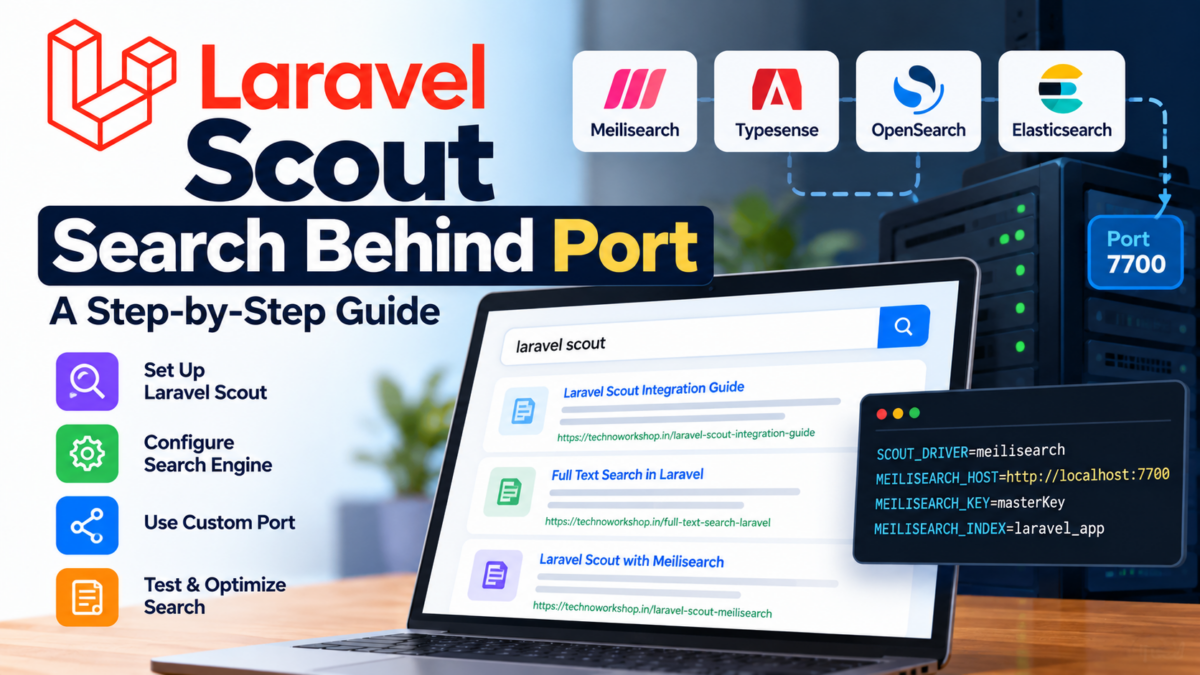
Most developers expect setting up full-text search in Laravel to be simple, but configuring Laravel Scout when your search engine or application services run behind a specific port often leads to connection timeouts, unindexed documents, or subtle networking errors.
Whether you run a dedicated search engine like Meilisearch or Typesense on a custom port, deploy your services across Docker containers, or route requests through a reverse proxy, understanding how Scout negotiates host and port configurations is essential. This tutorial guides you through setting up Laravel Scout behind a port, configuring driver connections, indexing searchable models, building secure filtered queries, and validating your search pipeline for production.
Prerequisites: Laravel, Scout, and Database Setup
Before configuring Scout, verify that your environment meets the prerequisites for Laravel 11 and Scout.
Ensure you are running at least PHP 8.2 and Laravel 11. You can verify your environment by running:
php -v
composer show --platform
Install Laravel Scout into your project using Composer:
composer require laravel/scoutDepending on your architecture, Scout connects to different search drivers:
- Meilisearch: A blazing-fast, typo-tolerant search engine typically listening on port
7700. - Typesense: An open-source search engine running on port
8108. - Database Engine: Uses your primary MySQL or PostgreSQL database on its standard port (
3306or5432) without external search binaries.
If you are using Meilisearch behind a port, install the recommended HTTP client and driver SDK:
composer require meilisearch/meilisearch-php http-interop/http-factory-guzzleNext, publish the Scout configuration file to your project:
php artisan vendor:publish --provider="Laravel\Scout\ScoutServiceProvider"This creates config/scout.php, where you can define your driver and connection endpoints.
Configuring Scout Behind a Port in Laravel
When running search services behind a port, you must configure Scout’s driver credentials in your .env file and config/scout.php.
For Meilisearch running on port 7700 (or behind a mapped container port like 7701), update your .env file:
SCOUT_DRIVER=meilisearch
MEILISEARCH_HOST=http://127.0.0.1:7700
MEILISEARCH_KEY=your-master-key-here
In config/scout.php, confirm the host setting properly references the environment variable with the port included:
'meilisearch' => [
    'host' => env('MEILISEARCH_HOST', 'http://127.0.0.1:7700'),
    'key' => env('MEILISEARCH_KEY'),
    'index-settings' => [
        // Index settings and ranking rules
    ],
],
If your search service is behind a reverse proxy (such as Nginx proxying port 7700 through an internal upstream), ensure that MEILISEARCH_HOST points to the exact host and port reachable from the PHP runtime container or application host.
If you are using Scout’s database engine instead of a standalone search daemon, set:
SCOUT_DRIVER=databaseIn this mode, Scout uses your existing database connection configured in config/database.php via DB_PORT.
Creating a Migration for the Search Index Table
When using an external engine like Meilisearch or Typesense, documents are stored and indexed within the search service itself. However, when using Scout’s database engine or preparing database fulltext indexing, your models require appropriate database columns and index definitions.
Create a migration for your searchable entity (for example, a posts table):
php artisan make:migration create_posts_tableInside your migration file, define your schema and attach fulltext indexes where appropriate:
use Illuminate\Database\Migrations\Migration;
use Illuminate\Database\Schema\Blueprint;
use Illuminate\Support\Facades\Schema;

return new class extends Migration
{
    public function up(): void
    {
        Schema::create('posts', function (Blueprint $table) {
            $table->id();
            $table->foreignId('user_id')->constrained()->cascadeOnDelete();
            $table->string('title');
            $table->text('content');
            $table->string('status')->default('draft');
            $table->timestamps();

            // Optional fulltext index for database driver searches
            $table->fullText(['title', 'content']);
        });
    }

    public function down(): void
    {
        Schema::dropIfExists('posts');
    }
};
Apply the migration to your database:
php artisan migrateWriting a Custom Searchable Trait for Your Models
To make an Eloquent model searchable with Scout, import and use the Laravel\Scout\Searchable trait. You can also customize which attributes get indexed by overriding toSearchableArray().
Here is a complete model implementation:
namespace App\Models;

use Illuminate\Database\Eloquent\Factories\HasFactory;
use Illuminate\Database\Eloquent\Model;
use Illuminate\Database\Eloquent\Relations\BelongsTo;
use Laravel\Scout\Searchable;

class Post extends Model
{
    use HasFactory, Searchable;

    protected $fillable = [
        'user_id',
        'title',
        'content',
        'status',
    ];

    /**
     * Get the indexable data array for the model.
     *
     * @return array<string, mixed>
     */
    public function toSearchableArray(): array
    {
        return [
            'id' => (int) $this->id,
            'title' => $this->title,
            'content' => $this->content,
            'status' => $this->status,
            'author_name' => $this->author?->name,
        ];
    }

    /**
     * Get the name of the index associated with the model.
     */
    public function searchableAs(): string
    {
        return 'posts_index';
    }

    public function author(): BelongsTo
    {
        return $this->belongsTo(User::class, 'user_id');
    }
}
By leveraging toSearchableArray(), you control the exact payload sent to the search daemon on port 7700, keeping network payloads lightweight and index queries fast.
Defining the Scope for Searching Across Multiple Tables
In real-world applications, you often need to search while eagerly loading relationships or scoping results to published records.
Scout provides the query() callback method on search builders to constrain the underlying Eloquent query when hydrating records:
namespace App\Services;

use App\Models\Post;
use Illuminate\Pagination\LengthAwarePaginator;

class SearchService
{
    public function searchPosts(string $term, ?int $userId = null): LengthAwarePaginator
    {
        return Post::search($term)
            ->query(function ($query) use ($userId) {
                $query->with('author')
                    ->where('status', 'published')
                    ->when($userId, fn ($q) => $q->where('user_id', $userId));
            })
            ->paginate(15);
    }
}
This guarantees that Scout retrieves the matching IDs from your search engine behind port 7700, and then executes a single, scoped database query with eager loading to prevent N+1 query performance problems.
Implementing Search Filtering with Parameters
When building search interfaces, users frequently combine a text search with metadata filters (such as category, status, or date range).
Scout’s search builder allows you to apply where and whereIn clauses directly on indexed attributes:
namespace App\Http\Controllers;

use App\Models\Post;
use Illuminate\Http\JsonResponse;
use Illuminate\Http\Request;

class PostSearchController extends Controller
{
    public function __invoke(Request $request): JsonResponse
    {
        $term = (string) $request->input('q', '');
        $status = $request->input('status');

        $search = Post::search($term);

        if ($status) {
            $search->where('status', $status);
        }

        $results = $search->paginate(15);

        return response()->json($results);
    }
}
For Meilisearch, ensure any attributes used in where() clauses are defined as filterable attributes in your config/scout.php index settings:
'meilisearch' => [
    'host' => env('MEILISEARCH_HOST', 'http://127.0.0.1:7700'),
    'key' => env('MEILISEARCH_KEY'),
    'index-settings' => [
        \App\Models\Post::class => [
            'filterableAttributes' => ['id', 'status', 'user_id'],
            'sortableAttributes' => ['created_at'],
        ],
    ],
],
Synchronize the settings with the search service by running:
php artisan scout:sync-index-settingsSecuring Search Queries with Authentication and Authorization
Search endpoints must be secured so users cannot inspect private or restricted data.
In Laravel 11, configure route protection using authentication middleware and model policies:
// routes/api.php
use App\Http\Controllers\PostSearchController;
use Illuminate\Support\Facades\Route;

Route::middleware(['auth:sanctum'])->group(function () {
    Route::get('/posts/search', PostSearchController::class);
});
Inside the controller or form request, authorize the search using a policy:
namespace App\Http\Controllers;

use App\Models\Post;
use Illuminate\Http\Request;
use Illuminate\Support\Facades\Gate;

class PostSearchController extends Controller
{
    public function __invoke(Request $request)
    {
        Gate::authorize('viewAny', Post::class);

        $query = Post::search($request->input('q', ''));

        // Non-admin users only see published posts
        if (! $request->user()->isAdmin()) {
            $query->where('status', 'published');
        }

        return response()->json($query->paginate(20));
    }
}
This ensures unauthenticated callers receive a 401 Unauthorized response, and non-privileged users cannot access draft or private records.
Testing and Optimizing the Search Functionality
After configuring Scout behind your chosen port, verify indexing and test the pipeline.
1. Importing Existing Records into the Index
Populate your search index with all existing records from your database:
php artisan scout:import "App\Models\Post"If you ever need to reset or clear the remote index:
php artisan scout:flush "App\Models\Post"2. Testing with Scout Fakes in Automated Tests
When writing automated feature tests, you don’t need your search service port accessible during CI. Use Scout’s built-in testing fakes:
namespace Tests\Feature;

use App\Models\Post;
use App\Models\User;
use Illuminate\Foundation\Testing\RefreshDatabase;
use Laravel\Scout\Scout;
use Tests\TestCase;

class PostSearchTest extends TestCase
{
    use RefreshDatabase;

    public function test_search_endpoint_returns_matching_posts(): void
    {
        $user = User::factory()->create();
        Post::factory()->create(['title' => 'Laravel Scout Guide', 'status' => 'published']);

        $response = $this->actingAs($user)->getJson('/api/posts/search?q=Scout');

        $response->assertOk()
            ->assertJsonStructure(['data', 'current_page']);
    }
}
3. Production Performance Best Practices
- Queueing Engine Updates: Indexing synchronous HTTP calls to port
7700can slow down user requests. Enable queued indexing in.envby settingSCOUT_QUEUE=true. - Chunk Sizes: Configure
scout.chunk.searchableinconfig/scout.phpto balance batch sizes during massive imports. - Connection Timeouts: In Docker or microservice environments, ensure firewalls allow traffic on your search port (e.g.
7700), and configure timeouts in your client configuration to avoid hanging workers.
With these configurations, your Laravel application provides fast, resilient, and secure search functionality behind any configured port.
Frequently Asked Questions
What is the typical issue developers encounter when setting up Laravel Scout behind a port?
The most common problem is that search functionality may not be available or return inaccurate results after deployment, especially for those new to using ports in their application.
Why do I need to update the ‘driver’ configuration in config/scout.php when setting up Scout behind a port?
You need to replace ‘database’ with ‘database_port’ to tell Scout to use the database port instead of the default connection, ensuring it can communicate effectively through the port.
Is there an alternative approach to using ports for search functionality in Laravel?
Yes, some developers opt for using Elasticsearch as a dedicated search engine service, which provides more advanced features and scalability but requires additional setup and configuration.
What is the common mistake of not specifying the port number in the environment file when setting up Scout behind a port?
Failing to specify the correct port number can lead to Scout being unable to communicate with the database, resulting in search functionality issues.