
Many e-commerce teams see their back office slow to a crawl during peak holiday seasons, exactly when staff need to process orders fastest. I’ve seen it firsthand on my own projects: when the admin panel is slow, order processing, stock updates and customer support all back up, and that delay ends up costing sales.
If you’re using Filament for building custom admin panels and experiencing similar issues, this tutorial is for you. By the end of it, you’ll understand how Filament’s server-rendered architecture works and how to keep it fast under heavy load, complete with optimized resource caching and preloading via Laravel’s built-in features. You’ll also learn how to use code splitting and lazy loading to further improve performance, as well as monitor and analyze your panel’s performance for maximum efficiency.
Understanding Server-Side Rendering with Filament
Server-side rendering (SSR) has revolutionized the way we build and deliver dynamic web applications. By leveraging SSR, developers can pre-render HTML pages on the server, significantly improving page load times, SEO, and overall user experience.
Filament, a popular Laravel package for building admin dashboards, is server-rendered out of the box: it is built on Livewire and Blade, so every panel page is already rendered to HTML on the server. There is no separate SSR switch to flip — this works the same way in Filament 3.x and 4.x (Filament 4.x requires PHP 8.2+ and Laravel 11.28 or higher). What you can configure is how pages are delivered after the first load. You can check this in your panel provider, for example app/Providers/Filament/AdminPanelProvider.php:
// app/Providers/Filament/AdminPanelProvider.php

public function panel(Panel $panel): Panel
{
    return $panel
        ->default()
        ->id('admin')
        ->path('admin')
        ->spa();
}
With ->spa() enabled, Filament still renders each page on the server, but navigates between pages without full browser reloads, giving you server-rendered pages with app-like navigation.
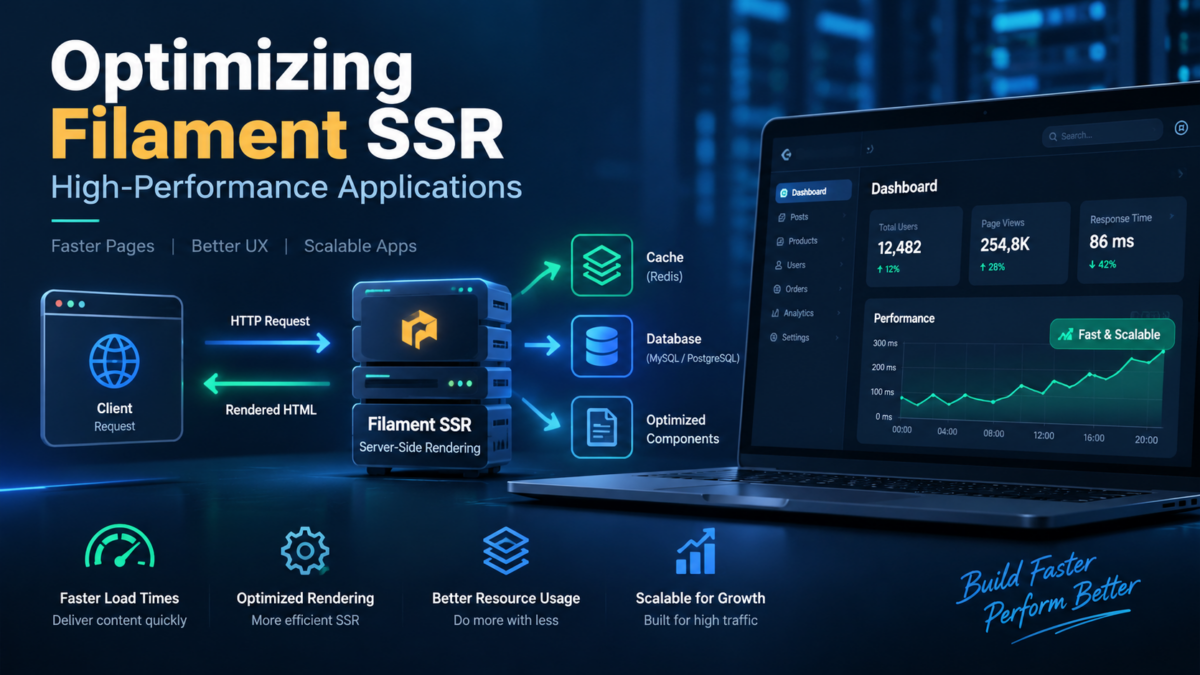
To understand how SSR works in Filament, imagine a scenario where you have an admin dashboard with multiple pages. When a user requests one of these pages, Livewire renders the Filament page’s Blade views on the server and generates the HTML content on the fly. This pre-rendered HTML is then sent to the client, reducing the load time significantly.
This approach means the browser receives ready-to-display HTML and needs relatively little JavaScript to show the first page. Because the work happens on the server, though, a Filament panel’s speed depends mostly on how quickly your server can query data and render Blade views. In the next sections, we’ll explore how to reduce that work with efficient queries, caching, lazy loading, and more.
Server-Rendered Performance in Practice: A Real-World Example
To see where server-rendering performance is won or lost in Filament, let’s consider a real-world example.
Suppose we’re building an e-commerce platform that showcases products in various categories. Our application receives heavy traffic during sales events and product launches. We want to improve page loading times and ensure seamless user experiences.
Here’s what our ResourcesController might look like if we built the product listing by hand:
// app/Http/Controllers/ResourcesController.php

namespace App\Http\Controllers;

use App\Models\Product;
use Illuminate\Support\Facades\View;

class ResourcesController extends Controller
{
    public function index()
    {
        $products = Product::all();

        return View::make('resources.index')
            ->with(compact('products'));
    }
}
This page is already rendered on the server, but Product::all() loads every product on every request, so it gets slower as the catalogue grows. A Filament resource renders the same listing on the server while paginating the table and eager loading relationships, so each render only queries the rows on screen:
// app/Filament/Resources/ProductResource.php

namespace App\Filament\Resources;

use App\Models\Product;
use Filament\Resources\Resource;
use Filament\Tables\Columns\TextColumn;
use Filament\Tables\Table;
use Illuminate\Database\Eloquent\Builder;

class ProductResource extends Resource
{
    protected static ?string $model = Product::class;

    public static function table(Table $table): Table
    {
        return $table
            ->modifyQueryUsing(fn (Builder $query) => $query->with('category'))
            ->columns([
                TextColumn::make('name')->searchable(),
                TextColumn::make('category.name'),
                TextColumn::make('price')->money('usd'),
            ])
            ->paginated([10, 25, 50]);
    }
}
By keeping each server render small with pagination and eager loading, we can significantly improve the performance of our application and enhance the overall user experience. In the next section, we’ll install Filament and cache it for production.
Setting Up Filament: Installing and Caching the Panel
To start optimizing Filament resources, you’ll need a Filament panel installed in your Laravel application. This involves installing a few packages and configuring your environment.
First, run the following commands in your terminal to install the required packages:
composer require filament/filament
php artisan filament:install --panels
This will add the filament/filament package to your project and create a panel provider in app/Providers/Filament, which is where Filament’s server-rendered pages are configured.
Next, for production, cache Filament’s component discovery and Blade icons by running the following command:
php artisan filament:optimizeThis writes cache files to the bootstrap/cache/filament directory, so Filament no longer has to scan and auto-discover resources, pages and widgets on every request. Combine it with Laravel’s own caches:
php artisan optimizeThis caches your configuration, routes, events and Blade views, which reduces the work done on each server render in your Filament admin interface.
Avoid running these commands while actively developing locally, because new components won’t be discovered until the cache is rebuilt. Run php artisan filament:optimize-clear and php artisan optimize:clear to clear them. With the caches in place in production, you should see faster server-rendered pages in your Filament admin interface.
Configuring Resource Caching and Preloading in Laravel
To reduce the work done on every server render, you’ll want to configure resource caching and preloading in your Laravel application.
First, ensure that you’re using a caching mechanism like Redis or Memcached. If not, install one: for Redis, install the phpredis PHP extension (pecl install redis) or the Predis client with composer require predis/predis; for Memcached, install the memcached PHP extension.
Next, set the default cache store in your config/cache.php file:
'default' => env('CACHE_STORE', 'redis'),Then, configure the Redis connection used by the cache store in your config/database.php file:
'redis' => [
    'client' => env('REDIS_CLIENT', 'phpredis'),

    'cache' => [
        'host' => env('REDIS_HOST', '127.0.0.1'),
        'port' => env('REDIS_PORT', '6379'),
        'database' => env('REDIS_CACHE_DB', '1'),
    ],
],
To enable preloading of resources, add the following middleware to your app/Http/Middleware directory. It warms the cache with data shared across your panel pages, so server renders read it from Redis instead of the database:
// app/Http/Middleware/PreloadResources.php

namespace App\Http\Middleware;

use App\Models\Category;
use Closure;
use Illuminate\Http\Request;
use Illuminate\Support\Facades\Cache;
use Symfony\Component\HttpFoundation\Response;

class PreloadResources
{
    public function handle(Request $request, Closure $next): Response
    {
        // Cache shared panel data for 1 hour
        Cache::remember('panel.categories', 3600, function () {
            return Category::orderBy('name')->get();
        });

        return $next($request);
    }
}
Anywhere your panel needs the category list (for example, in a select field’s options or a table filter), read it with the same Cache::remember('panel.categories', ...) call so it comes from the cache rather than a fresh query.
Finally, add the middleware to your panel’s middleware stack in app/Providers/Filament/AdminPanelProvider.php:
// app/Providers/Filament/AdminPanelProvider.php

use App\Http\Middleware\PreloadResources;

public function panel(Panel $panel): Panel
{
    return $panel
        // ...
        ->middleware([
            // ...the default middleware generated by Filament
            PreloadResources::class,
        ]);
}
This configuration will enable resource caching and preloading for your Filament resources, improving the overall performance of your application.
Optimizing Filament Resources with Code Splitting and Lazy Loading
To further improve the performance of your Filament application, we can leverage code splitting and lazy loading techniques.
Code Splitting with Vite
Laravel and Filament use Vite to bundle front-end assets. Any module loaded with a dynamic import() is split by Vite into its own chunk, which prevents unnecessary bundles from being loaded on every page request.
// resources/js/app.js
const chartElement = document.querySelector('#sales-chart');

if (chartElement) {
    import('./charts/sales-chart').then(({ default: renderSalesChart }) => {
        renderSalesChart(chartElement);
    });
}
// resources/js/charts/sales-chart.js
import Chart from 'chart.js/auto';
export default function renderSalesChart(element) {
return new Chart(element, {
type: 'bar',
data: JSON.parse(element.dataset.chart),
});
}Filament panels load their own compiled assets rather than your resources/js/app.js. Use this pattern on your own (non-Filament) pages, or load the script inside a panel by rendering @vite('resources/js/app.js') through a panel render hook such as PanelsRenderHook::BODY_END.
Lazy Loading with Filament’s Widgets and Tables
Lazy widgets delay loading until the page shell has rendered: the widget is rendered on the server in a follow-up Livewire request. Filament widgets are lazy by default ($isLazy = true), so make sure you don’t disable it on expensive widgets; setting it explicitly, as below, documents the intent. This is particularly useful for dashboards with a high number of widgets.
// app/Filament/Widgets/SalesOverview.php

namespace App\Filament\Widgets;

use App\Models\Order;
use Filament\Widgets\StatsOverviewWidget;
use Filament\Widgets\StatsOverviewWidget\Stat;

class SalesOverview extends StatsOverviewWidget
{
    protected static bool $isLazy = true;

    protected function getStats(): array
    {
        return [
            Stat::make('Orders today', Order::whereDate('created_at', today())->count()),
        ];
    }
}
Tables can be deferred in the same way by calling ->deferLoading() on the Table in your resource, so the table’s query only runs after the page has loaded.
By implementing code splitting and lazy loading, you can significantly reduce the initial payload size of your application, resulting in improved page load times, which matters most for staff working on slower connections or mobile devices.
Monitoring and Analyzing Filament Performance Improvements
To monitor and analyze performance improvements in your Filament panel, you’ll need a few tools in your arsenal. For an admin panel, server-side monitoring matters most, because that’s where pages are rendered; for any public-facing storefront pages, a web analytics platform like Google Analytics or Matomo can also help you track page load times, bounce rates, and other key metrics.
Setting Up Web Performance Monitoring
First, enable performance monitoring in your Laravel project by installing the laravel/pulse package via Composer, then publish its configuration and migrations and run them:
composer require laravel/pulse
php artisan vendor:publish --provider="Laravel\Pulse\PulseServiceProvider"
php artisan migrate
Then, update your .env file to include the Pulse configuration (requests slower than the threshold, in milliseconds, appear on the dashboard at /pulse):
PULSE_ENABLED=true
PULSE_SLOW_REQUESTS_THRESHOLD=1000
Visualizing Performance Data
Once you have performance data flowing in, it’s essential to visualize it. I recommend using a tool like Chart.js to create easy-to-understand charts and graphs.
Here’s an example of how to display page load times over time using Chart.js. It assumes you record each page’s load time (in milliseconds) in a page_views table with a matching PageView model:
// app/Http/Controllers/HomeController.php

namespace App\Http\Controllers;

use App\Models\PageView;

class HomeController extends Controller
{
    public function index()
    {
        $data = PageView::selectRaw('DATE(created_at) as day, AVG(load_time) as average_load_time')
            ->whereYear('created_at', now()->year)
            ->whereMonth('created_at', now()->month)
            ->groupBy('day')
            ->orderBy('day')
            ->get();

        return view('home', compact('data'));
    }
}
{{-- resources/views/home.blade.php --}}
<h1>Page Load Times Over Time</h1>
<canvas id="chart"></canvas>
<script src="https://cdn.jsdelivr.net/npm/chart.js"></script>
<script>
const ctx = document.getElementById('chart').getContext('2d');
const chart = new Chart(ctx, {
type: 'line',
data: {
labels: @json($data->pluck('day')),
datasets: [{
label: 'Average Load Time (ms)',
data: @json($data->pluck('average_load_time')),
backgroundColor: 'rgba(255, 99, 132, 0.2)',
borderColor: 'rgba(255, 99, 132, 1)',
borderWidth: 1
}]
},
options: {
scales: {
y: {
beginAtZero: true
}
}
}
});
</script>By analyzing your performance data, you’ll be able to pinpoint areas that need improvement and make informed decisions about how to optimize your Filament setup.
Tuning Cache Expiration and Bypassing for Dynamic Content
When you cache the data behind your Filament pages, cache expiration plays a crucial role in ensuring that your application’s resources are up-to-date. Filament doesn’t cache rendered pages for you, but you can cache the data behind them with Laravel’s built-in caching mechanisms, which have a TTL (time-to-live) setting that determines how long the cached content remains valid.
To fine-tune this behavior and ensure optimal performance, you can adjust the cache expiration settings for each resource. For example, if your application has a dashboard page with infrequently updated content, you might set a longer TTL to reduce cache invalidation overhead:
// config/resources.php

return [
    'cache_ttl' => 60 * 60 * 24 * 7, // Cache expires in one week
];
However, if your application has dynamic content that requires frequent updates, you’ll want to bypass the cache expiration altogether. You can achieve this by using a conditional statement within your ResourceController:
// app/Http/Controllers/ResourceController.php

namespace App\Http\Controllers;

use Illuminate\Http\Request;

class ResourceController extends Controller
{
    public function show(Request $request)
    {
        // Bypass caching for dynamic content with 'skip-cache' query parameter
        if ($request->boolean('skip-cache')) {
            return view('resource', ['data' => $this->getResource()]);
        }

        // Use cached data otherwise
        $data = cache()->remember('resource:cache', config('resources.cache_ttl'), function () {
            return $this->getResource();
        });

        return view('resource', ['data' => $data]);
    }

    private function getResource()
    {
        return \App\Models\Product::with('category')->latest()->take(50)->get();
    }
}
In production, restrict the skip-cache parameter to authenticated staff (or remove it), otherwise anyone could bypass your cache and send every request straight to the database.
By implementing these techniques, you can strike the perfect balance between performance and content freshness in your Filament application. By following the steps outlined here, you’ll be well on your way to a lightning-fast and dynamic user experience.
Best Practices for Running Filament in Production Environments
When running Filament in production environments under heavy traffic, there are several best practices to follow to ensure optimal performance and reliability.
Use a Load Balancer or CDN
To distribute traffic efficiently and reduce the load on your application server, consider using a load balancer or Content Delivery Network (CDN). This will help improve response times and prevent bottlenecks. For example, you can use NGINX as a reverse proxy to route requests from the load balancer to your Laravel application (here, an application server such as Laravel Octane listening on port 8000).
# nginx.conf
http {
    # ...other http settings

    upstream laravel-app {
        server localhost:8000;
    }

    server {
        listen 80;
        server_name example.com;

        location / {
            proxy_pass http://laravel-app;
            proxy_set_header Host $host;
            proxy_set_header X-Real-IP $remote_addr;
            proxy_set_header X-Forwarded-For $proxy_add_x_forwarded_for;
            proxy_set_header X-Forwarded-Proto $scheme;
        }
    }
}
Monitor and Log Performance
Monitor your application’s performance with tools like Prometheus, Grafana, or New Relic. Set up logging to track errors, slow requests, and caching hits/misses. This will help you identify areas for improvement and fine-tune your caching configuration.
# .env
LOG_CHANNEL=daily
LOG_LEVEL=info
LOG_DAILY_DAYS=7
// config/logging.php
'channels' => [
'daily' => [
'driver' => 'daily',
'path' => storage_path('logs/laravel.log'),
'level' => env('LOG_LEVEL', 'debug'),
'days' => env('LOG_DAILY_DAYS', 14),
],
],Running a fast Filament panel under heavy traffic requires careful planning and execution. By following these best practices, you’ll be well on your way to optimizing your application’s performance in production environments.
With proper setup and tuning, Filament’s server-rendered pages can stay fast even at peak traffic, significantly improving the experience for your admin users.
Frequently Asked Questions
What is Server-Side Rendering (SSR) and how does it improve performance?
Server-side rendering pre-renders HTML pages on the server, improving page load times, SEO, and user experience.
I’m using Filament 3.x – can I still use SSR?
Yes. Filament 3.x and 4.x both render pages on the server through Livewire and Blade, so there’s no extra SSR feature to enable. Filament 4.x requires PHP 8.2+ and Laravel 11.28 or higher if you decide to upgrade.
What’s the difference between code splitting and lazy loading in Filament?
Code splitting breaks large JavaScript bundles into smaller chunks that are loaded on demand, while lazy loading (such as Filament’s lazy widgets and deferred tables) renders parts of a page only after the initial page has loaded, reducing initial load times.
My Filament panel still loads slowly – what could be the issue?
Common issues include missing production caches (php artisan optimize and php artisan filament:optimize), misconfigured resource caching, unpaginated tables, or inefficient database queries such as N+1 relationship loading. Check your server logs and database performance for potential bottlenecks.
Should I use Filament or a JavaScript framework like Next.js?
Filament, which renders pages on the server with Livewire, is ideal for custom admin panels, while React frameworks like Next.js are better suited for complex frontend applications. Choose the approach that best fits your project’s needs.