
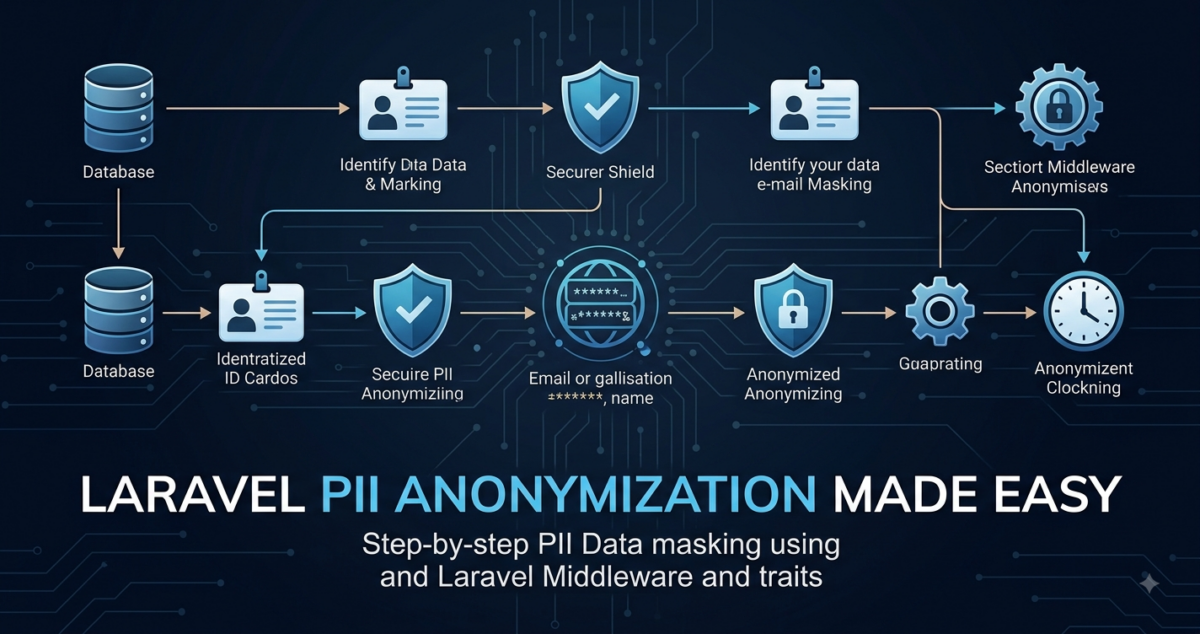
As a developer working with sensitive data in Laravel applications, you’ve likely encountered the challenge of balancing user privacy with the need to access and process personal identifiable information (PII). One common issue arises when attempting to store or transmit email addresses securely: reversible anonymization techniques can prove elusive. You may have found yourself struggling to find a reliable solution that meets both security and usability requirements.
This tutorial will guide you through implementing reversible PII anonymization in your Laravel project, equipping you with the tools to tackle this problem effectively. By the end of this process, you’ll build an anonymizer service capable of reversing encrypted email addresses and apply it to additional sensitive fields like phone numbers and IP addresses. With a robust solution in place, you’ll be able to confidently manage PII data while maintaining user trust and regulatory compliance.
Prerequisites: Setting Up a Laravel Project
Setting Up a Laravel Project
To implement reversible PII anonymization in your application, you’ll need a fresh Laravel project set up with Composer and a database. Let’s start from scratch.
First, install Laravel using Composer:
composer create-project --prefer-dist laravel/laravel pi-anonymizer-exampleNavigate into the newly created project directory:
cd pi-anonymizer-exampleCreate a new database for your application (you can use any database management system supported by Laravel), point the DB_* variables in your .env file at it, and run the default migrations:
php artisan migrateGenerate the application key (APP_KEY). Laravel’s encrypter uses this key, so it is required for the anonymization feature:
php artisan key:generateMake sure you have PHP 8.2 or newer installed on your system, as Laravel 11 requires it (newer Laravel releases may require a newer PHP version).
Laravel’s encryption and hashing services ship with the framework itself, so no extra packages are needed. Your project’s composer.json file should already contain dependencies like the following (the exact versions depend on the Laravel release you installed):
"require": {
    "php": "^8.2",
    "laravel/framework": "^11.0"
},
Set up your database connection in the .env file (the DB_* variables are read by config/database.php).
With these steps completed, you’re now ready to dive into implementing reversible PII anonymization techniques in your Laravel project.
Understanding PII Anonymization Techniques
As a developer working with sensitive user data, it’s essential to understand the principles behind PII anonymization techniques. In this context, PII refers to Personally Identifiable Information, which can be used to identify an individual.
There are several methods for anonymizing PII, but we’ll focus on reversible encryption and tokenization. Note that hashing algorithms like bcrypt or Argon2 are one-way: a hash can only be compared against a candidate value, never turned back into the original. Reversible encryption instead transforms sensitive data with a secret key so that it can later be decrypted to retrieve the original value. Laravel provides this out of the box through its Crypt facade, which uses AES-256 encryption keyed by your APP_KEY. For example:
use Illuminate\Support\Facades\Crypt;
use Illuminate\Support\Facades\Hash;

$email = 'user@example.com';
$encryptedEmail = Crypt::encryptString($email);
echo $encryptedEmail; // Output: an encrypted payload string

// Later, when needed:
$originalEmail = Crypt::decryptString($encryptedEmail);
echo $originalEmail; // Output: user@example.com

// Hashing, by contrast, can only verify a value:
$hashedEmail = Hash::make($email);
if (Hash::check($email, $hashedEmail)) {
    echo "Email matches the hash!";
}Tokenization, on the other hand, involves replacing sensitive data with a unique token. These tokens can then be stored in place of the original values and reversed when needed.
Another key consideration is data obfuscation. This technique involves altering sensitive data to make it unreadable without additional context or processing. Examples include scrambling phone numbers or masking credit card information.
When implementing PII anonymization, it’s crucial to strike a balance between security and usability. Anonymized data should be reversible when necessary, but the process of reversing should not compromise the integrity of the system.
We’ll delve into implementing reversible encryption for email addresses in the next section, building upon these fundamental concepts.
Implementing Reversible Encryption for Email Addresses
For reversible anonymization, you’ll use symmetric encryption: an encrypt function paired with its inverse decrypt function. Only the encrypted email is stored, and the original can be retrieved with the application key whenever it’s needed. This approach allows you to easily retrieve the original email from its anonymized counterpart.
There is nothing to install for this step: Laravel’s Crypt facade (Illuminate\Support\Facades\Crypt) is part of the framework and is configured by the APP_KEY you generated earlier. Encrypted payloads are considerably longer than the original values, so store encrypted fields in text columns rather than short string columns.
Keep in mind that Laravel’s encrypter uses a random IV, so encrypting the same email twice produces two different payloads. That means you can no longer look up rows with where('email', ...) or rely on a unique index on the encrypted column. If you need lookups (for example, for login), store an additional keyed hash of the value, such as hash_hmac('sha256', strtolower($email), $secret), in a separate indexed column and query that instead.
Next, create a new class for reversible encryption within your project’s app/Services directory:
// app/Services/CryptoService.php

namespace App\Services;

use Illuminate\Contracts\Encryption\DecryptException;
use Illuminate\Support\Facades\Crypt;

class CryptoService
{
    public function encryptEmail(string $email): string
    {
        // Encrypt the email so only the encrypted payload is stored.
        return Crypt::encryptString($email);
    }

    public function rehydrateEmail(string $encryptedEmail): ?string
    {
        try {
            // Retrieve the original email from its encrypted counterpart.
            return Crypt::decryptString($encryptedEmail);
        } catch (DecryptException) {
            // If decryption fails, assume it's a corrupted value or invalid input.
            return null;
        }
    }
}
In this example, we’re using Laravel’s built-in Crypt facade both for encrypting and for rehydrating emails. Because every value is encrypted with your APP_KEY, keep that key secret and backed up in production; if you ever rotate it, list the old key in APP_PREVIOUS_KEYS so existing values can still be decrypted.
To apply reversible encryption for email addresses in your Eloquent models, you’ll need to create a custom accessor or mutator that utilizes the CryptoService. This is covered in the next section.
Applying PII Anonymization to Additional Sensitive Fields
Now that you’ve successfully implemented reversible encryption for email addresses, it’s time to expand your anonymizer to cover other sensitive fields. In this section, we’ll explore how to apply PII anonymization techniques to multiple attributes within the same model.
To do this, we’ll define a mutator on the User model for each sensitive column and route every value through a PIIAnonymizer service, passing along the name of the column being set.
// app/Models/User.php

namespace App\Models;

use Illuminate\Database\Eloquent\Model;
use App\Services\PIIAnonymizer;

class User extends Model
{
    // ...

    public function setEmailAttribute($value)
    {
        $this->attributes['email'] = app(PIIAnonymizer::class)->anonymizeValue($value, 'email');
    }

    public function setPhoneAttribute($value)
    {
        $this->attributes['phone'] = app(PIIAnonymizer::class)->anonymizeValue($value, 'phone');
    }
}
Next, we need to create our PIIAnonymizer service, which accepts a value together with its column name and anonymizes it accordingly. Email addresses are delegated to the CryptoService from the previous section, and every other sensitive field is encrypted with the same reversible technique.
// app/Services/PIIAnonymizer.php

namespace App\Services;

use Illuminate\Support\Facades\Crypt;

class PIIAnonymizer
{
    public function __construct(private CryptoService $crypto)
    {
    }

    public function anonymizeValue(?string $value, string $column): ?string
    {
        if ($value === null) {
            return null;
        }

        // Reversible encryption for email addresses
        if ($column === 'email') {
            return $this->crypto->encryptEmail($value);
        }

        // Reversible encryption for other sensitive fields (phone numbers, IP addresses, ...)
        return Crypt::encryptString($value);
    }
}
With these updates in place, our User model can now automatically anonymize email addresses and phone numbers whenever they’re set or updated. This demonstrates how to extend the PII anonymization logic to cover multiple sensitive fields within the same Eloquent model.
We’ve successfully expanded our anonymizer to protect additional sensitive data types. In the next section, we’ll explore configuring the Anonymizer Service and Model for production use.
Configuring the Anonymizer Service and Model
With reversible PII anonymization techniques implemented for email addresses and additional sensitive fields, it’s essential to configure a service and model that will handle these operations.
Firstly, let’s create an Anonymizer service using Laravel’s service container:
// app/Services/Anonymizer.php
namespace App\Services;

use Illuminate\Contracts\Encryption\DecryptException;
use Illuminate\Encryption\Encrypter;

class Anonymizer
{
    private Encrypter $encrypter;

    public function __construct()
    {
        // A dedicated 32-byte key, separate from APP_KEY, used only for PII
        $key = base64_decode(config('pii.anonymization.key'));

        $this->encrypter = new Encrypter($key, 'aes-256-cbc');
    }

    public function anonymize(string $value): string
    {
        return $this->encrypter->encryptString($value);
    }

    public function deAnonymize(string $anonymizedValue): ?string
    {
        try {
            return $this->encrypter->decryptString($anonymizedValue);
        } catch (DecryptException) {
            return null;
        }
    }
}
// config/pii.php
return [
'anonymization' => [
'key' => env('PII_ANONYMIZATION_KEY'),
],
];This service will handle both anonymizing and de-anonymizing email addresses and any other sensitive values. The anonymize and deAnonymize methods rely on the pii.anonymization.key configuration value, which should be set in your .env file as a base64-encoded 32-byte key. You can generate one with php -r "echo base64_encode(random_bytes(32));".
Next, we’ll create an AnonymizableModel trait that our models can use to integrate with the Anonymizer service:
// app/Traits/AnonymizableModel.php
namespace App\Traits;

use Illuminate\Database\Eloquent\Model;
use App\Services\Anonymizer;

trait AnonymizableModel
{
    public static function bootAnonymizableModel(): void
    {
        static::saving(function (Model $model) {
            $anonymizer = app(Anonymizer::class);

            foreach ($model->anonymizable() as $attribute) {
                $value = $model->getAttribute($attribute);

                // Only encrypt new or changed plain-text values, so stored
                // values are never encrypted twice.
                if ($value !== null && $model->isDirty($attribute)) {
                    $model->setAttribute($attribute, $anonymizer->anonymize($value));
                }
            }
        });
    }

    public function anonymizable(): array
    {
        return [];
    }
}
This trait uses the saving event to call the anonymize method on any attributes returned by anonymizable. You can add the AnonymizableModel trait to your models and configure which fields should be anonymized by overriding the anonymizable method. Because the trait now encrypts these fields on save, it replaces the per-field mutators from the previous section; don’t use both on the same attribute.
Testing and Verifying Anonymized Data in Eloquent Models
To ensure that our PII anonymization implementation works as expected, we need to test it thoroughly using Laravel’s built-in testing features. We’ll create a simple test case for the User model (using the AnonymizableModel trait configured above), which will help us verify if the email address is correctly anonymized.
Firstly, let’s define a test class for the User model in the tests/Models directory:
// tests/Models/UserTest.php

namespace Tests\Models;

use App\Models\User;
use App\Services\Anonymizer;
use Illuminate\Foundation\Testing\RefreshDatabase;
use Illuminate\Support\Facades\DB;
use Illuminate\Support\Facades\Hash;
use Tests\TestCase;

class UserTest extends TestCase
{
    use RefreshDatabase;

    public function test_anonymized_email_address()
    {
        $email = 'john.doe@example.com';

        $user = new User();
        $user->name = 'John Doe';
        $user->email = $email;
        $user->password = Hash::make('secret');
        $user->save();

        // Retrieve the anonymized email address from the database
        $anonymizedEmail = DB::table('users')->where('id', $user->id)->value('email');

        // Verify that the email is anonymized and can be rehydrated successfully
        $this->assertNotEquals($email, $anonymizedEmail);
        $rehydratedEmail = app(Anonymizer::class)->deAnonymize($anonymizedEmail);
        $this->assertEquals($email, $rehydratedEmail);
    }
}
In this test case, we create a new User instance with an email address and save it to the database. We then retrieve the anonymized email address from the database and verify that it’s different from the original value. Finally, we pass the stored value to the Anonymizer service’s deAnonymize() method to rehydrate the anonymized data and ensure it matches the original value.
This simple test case demonstrates how you can integrate PII anonymization with your Laravel application and ensures that the implementation works as expected.
Rehydrating Anonymized Data into Original Values
Rehydration is the process of transforming anonymized PII back into its original form. In Laravel, we can create a small Unanonymizer trait that uses our Anonymizer service to rehydrate anonymized data.
First, let’s create the Unanonymizer trait and update our User model to use it alongside AnonymizableModel:
// app/Traits/Unanonymizer.php

namespace App\Traits;

use App\Services\Anonymizer;

trait Unanonymizer
{
    public function rehydrate(string $attribute): void
    {
        $value = $this->attributes[$attribute] ?? null;

        if ($value !== null) {
            $this->attributes[$attribute] = app(Anonymizer::class)->deAnonymize($value);
        }
    }
}
Next, we’ll define a method on our model that uses the rehydrate method to rehydrate anonymized attributes:
// app/Models/User.php

namespace App\Models;

use Illuminate\Database\Eloquent\Model;
use App\Traits\AnonymizableModel;
use App\Traits\Unanonymizer;

class User extends Model
{
    use AnonymizableModel, Unanonymizer;

    // ...

    public function anonymizable(): array
    {
        return ['email', 'phone'];
    }

    public function rehydrateData(): self
    {
        $this->rehydrate('email');
        $this->rehydrate('phone');

        return $this;
    }
}
When calling rehydrateData(), the model will rehydrate its anonymized attributes, restoring them to their original values in memory. If the model is saved again afterwards, the AnonymizableModel trait sees the changed values and encrypts them before they reach the database.
// app/Http/Controllers/UserController.php

namespace App\Http\Controllers;

use App\Models\User;

class UserController extends Controller
{
    public function show(User $user)
    {
        // Rehydrate anonymized data
        $user->rehydrateData();

        // Return rehydrated user data
        return response()->json($user);
    }
}
By implementing rehydration, we can ensure that sensitive information is restored to its original form when necessary. This enables our application to maintain the delicate balance between anonymization and access to sensitive data.
Frequently Asked Questions
What is the difference between reversible encryption and tokenization in PII anonymization?
Reversible encryption transforms sensitive data with a secret key so that it can later be decrypted to retrieve the original value, whereas tokenization replaces sensitive data with a unique identifier and keeps the original value in a separate, protected store.
Why do I get an error when trying to install Laravel using Composer?
Make sure you have PHP 8.2 or newer and an up-to-date version of Composer installed on your system, as Laravel 11 requires PHP 8.2, and run composer update after adding the required dependencies.
Can I use reversible encryption with other types of sensitive data besides email addresses?
Yes, you can apply reversible encryption to additional sensitive fields like phone numbers and IP addresses.
Is there a risk of data breaches if using reversible encryption?
Reversible encryption is only as secure as its key: anyone who obtains your APP_KEY or PII key together with the database can decrypt the data, so keep keys out of version control and restrict who can access them. Passwords should never be encrypted reversibly; keep hashing them with bcrypt or Argon2.